Task Tracker CLI
Terminal-first task management, built for speed.
The Problem
Most task managers live in the browser — they need accounts, syncing, and a context switch away from the terminal. For developers who spend the day in a shell, that overhead compounds. The common alternative, a plain text file, lacks structure and becomes unmanageable fast.
The Solution
Task Tracker CLI keeps task management where the work already happens. Tasks are stored locally in SQLite — no server, no account, no internet required. The compiled binary is a single file you drop on your PATH and start using immediately.
Priority Sorting & Due Dates
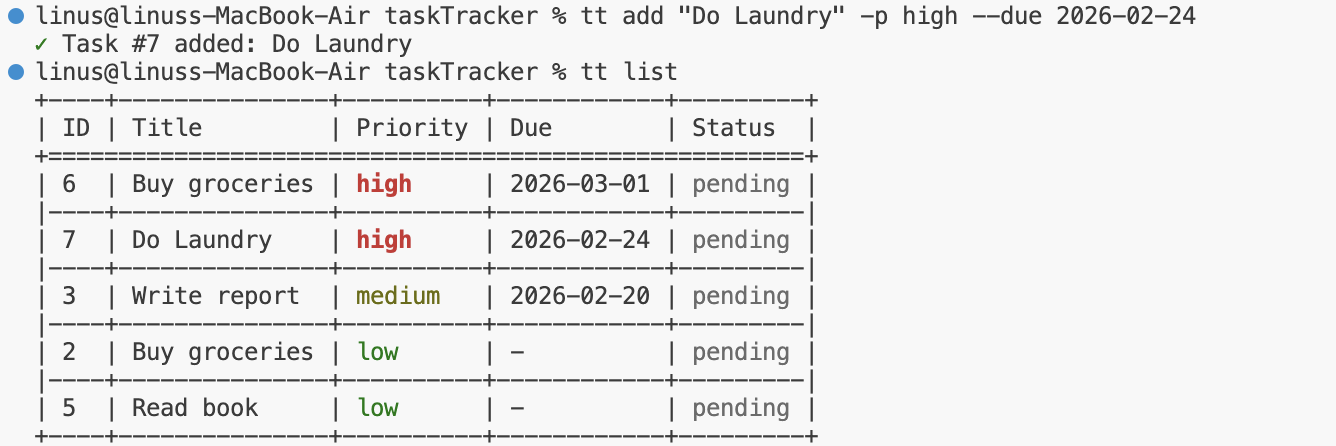
Every task can be assigned a priority (low, medium, or high) and an optional due date. The list command sorts by urgency automatically — overdue and high-priority items rise to the top, so the most pressing work is always visible without manual filtering.
Markdown Export
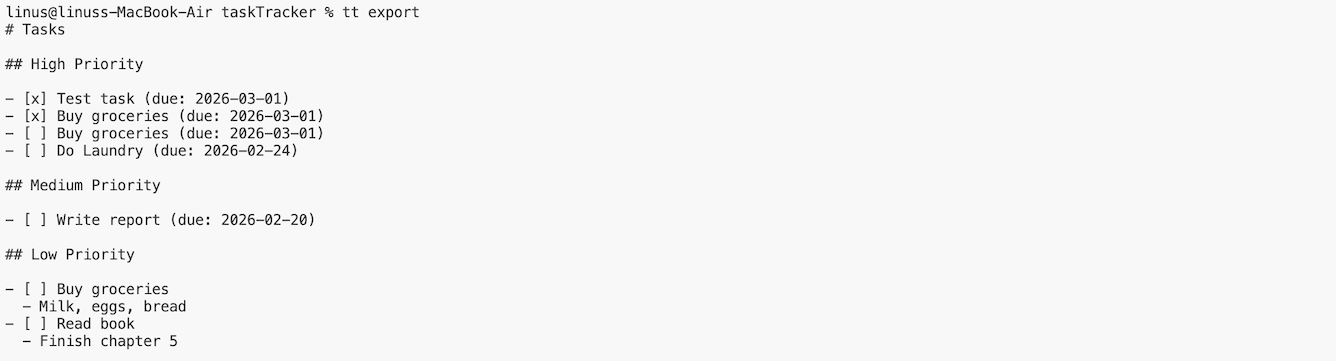
A single command exports the full task list to a Markdown file. Useful for daily standups, handoff notes, or keeping a log alongside source code. The output is intentionally plain so it renders well anywhere Markdown is supported.